Dialtone Prompt

Dialtone Prompt gives your guests a little inspiration before they pick up the phone. With each press of the button, a new question appears - helping friends and family remember stories, share advice and leave messages you’ll genuinely want to hear again.

Press

One-button operation

Read

Spark forgotten stories

Pick up

Wait for the beep

Speak

Leave something personal
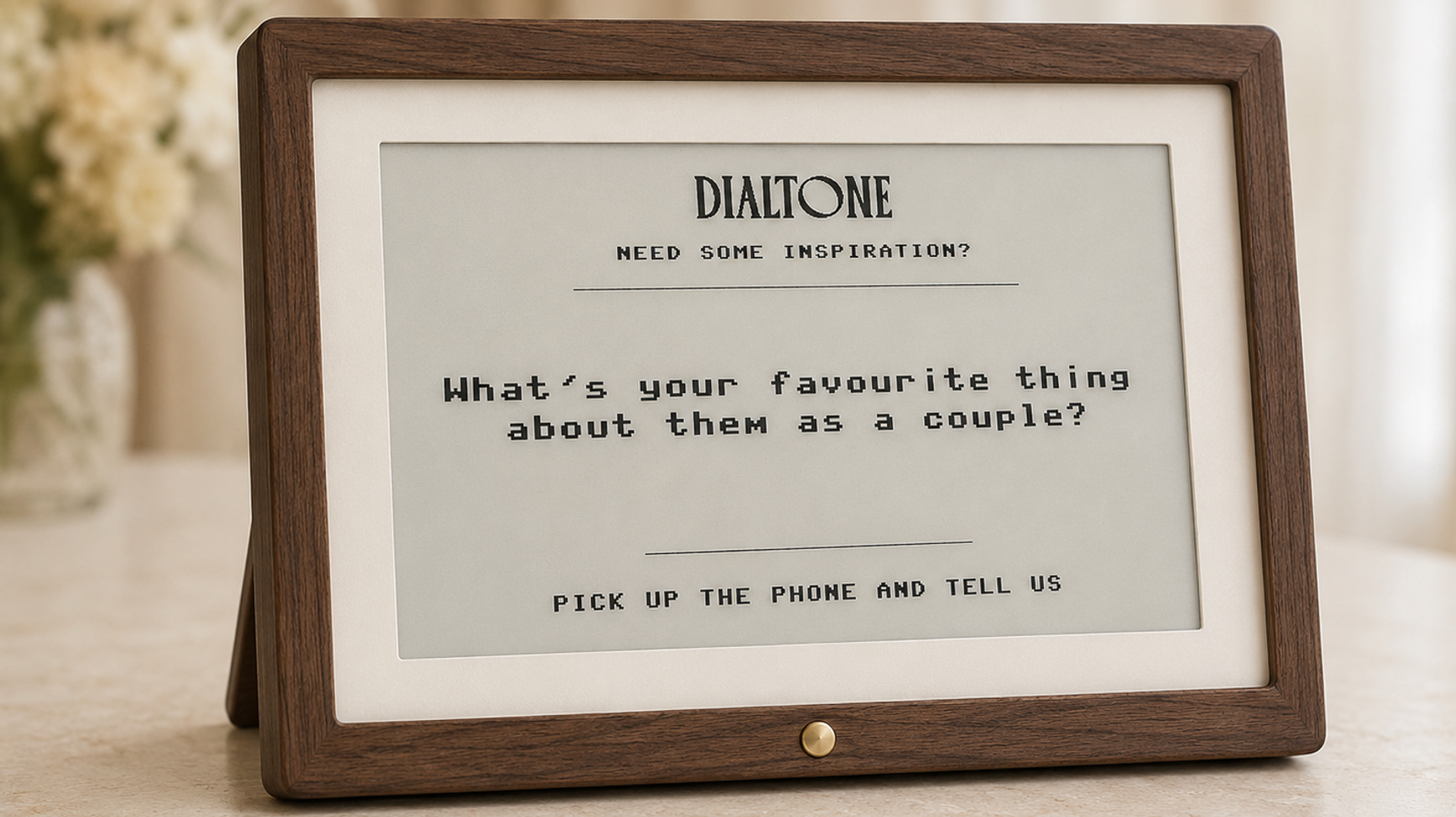
Quietly helpful. Never distracting.

The Prompt Display uses an e‑ink screen rather than a bright tablet or illuminated sign. Its paper-like appearance is easy to read and sits naturally alongside the vintage telephone, without turning your audio guestbook table into a bank of glowing screens. Guests don’t need instructions, an app or their own phone. They simply press the physical button whenever they want another question.
Call to action image

How It Works

One button. A different question every time.

01

Press the button

A guest presses the button beside the display.

02

Read the prompt

A new conversation starter appears on the screen.

03

Pick up the phone

They lift the handset and hear your personal greeting.

04

Leave the story

The prompt gives them a starting point. Where the message goes next is entirely up to them.

[@portabletext/react] Unknown block type "module.promptQuestions", specify a component for it in the `components.types` prop

A Dialtone original

The Prompt Display wasn’t bought from a wedding catalogue. It was designed and built by Dialtone specifically to sit alongside our restored telephones. From its uncomplicated button control to its low-distraction e‑ink screen, every part of it has been considered around how guests actually behave at weddings. It’s a small addition to the table, but it can make an enormous difference to what gets recorded.
Call to action image

Frequently Asked Questions